

Stay connected to your character's story
Give it your character, motivations, campaign notes and party. Prompts are written for that character, not the whole group.
 LoreMonkey
For tabletop RPG players and game masters
LoreMonkey transcribes every session, labels who said what, and turns it into recaps, searchable campaign notes and prompts you can use mid-scene. Recording and transcription are free forever.
Supports Windows 10 and 11 (64-bit). No Mac or Linux build yet.
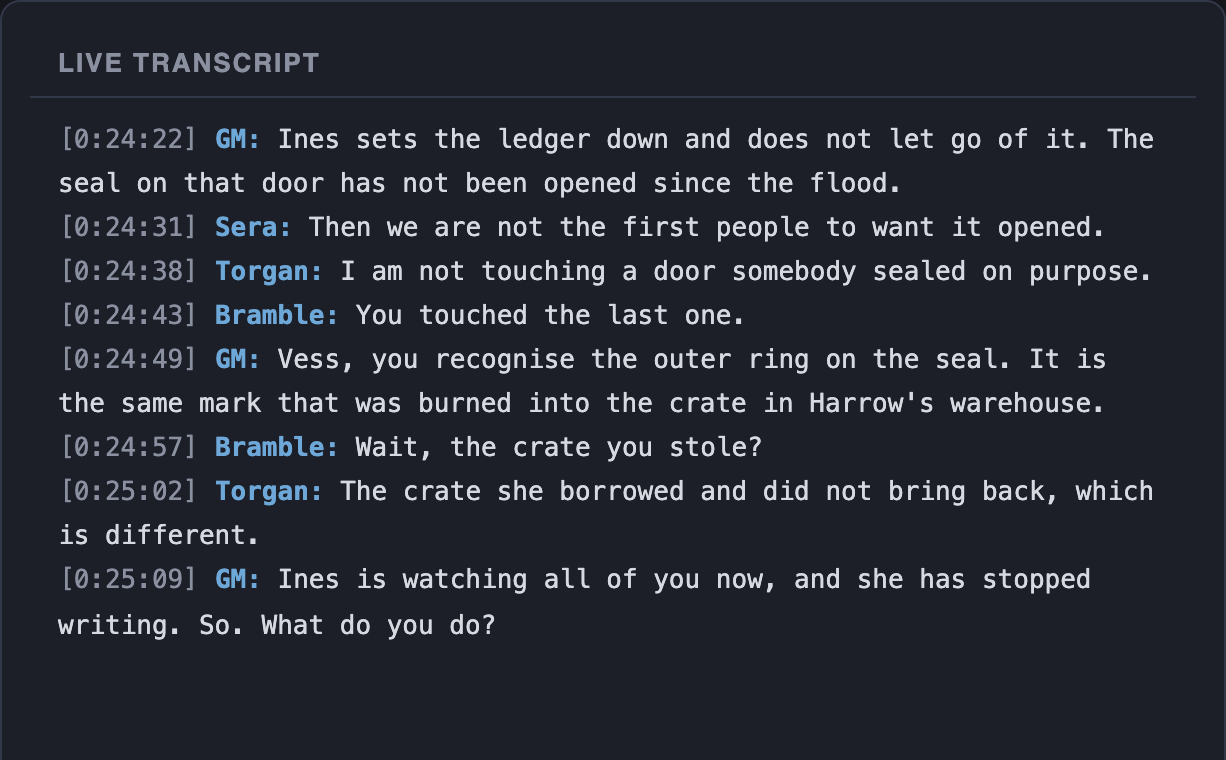
LoreMonkey keeps the record of the session and gives one person a place to look things up while the game carries on.

Every screenshot below is from the desktop app.
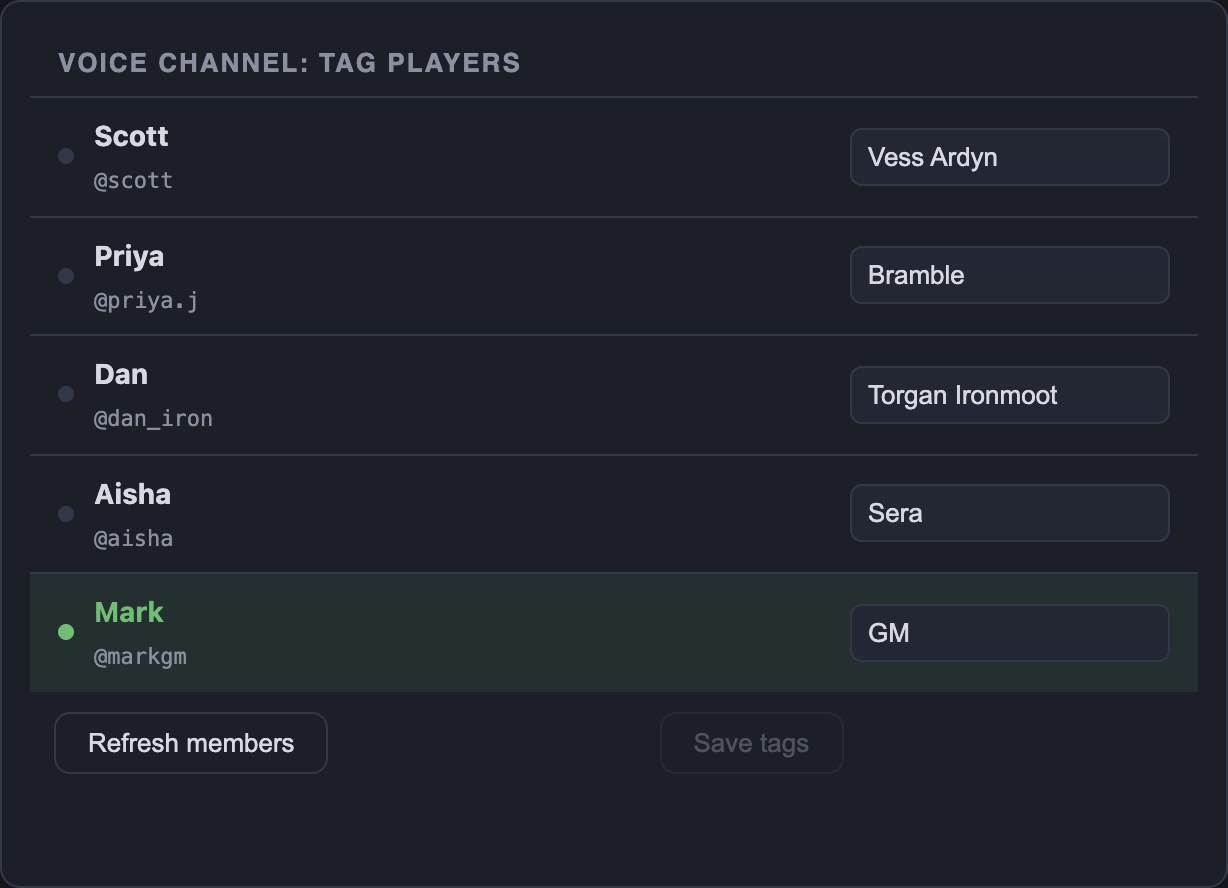
Connect the Discord desktop app and tag each person with a character name once.
Playing in person? Record the room with a microphone instead. Character labels need Discord.
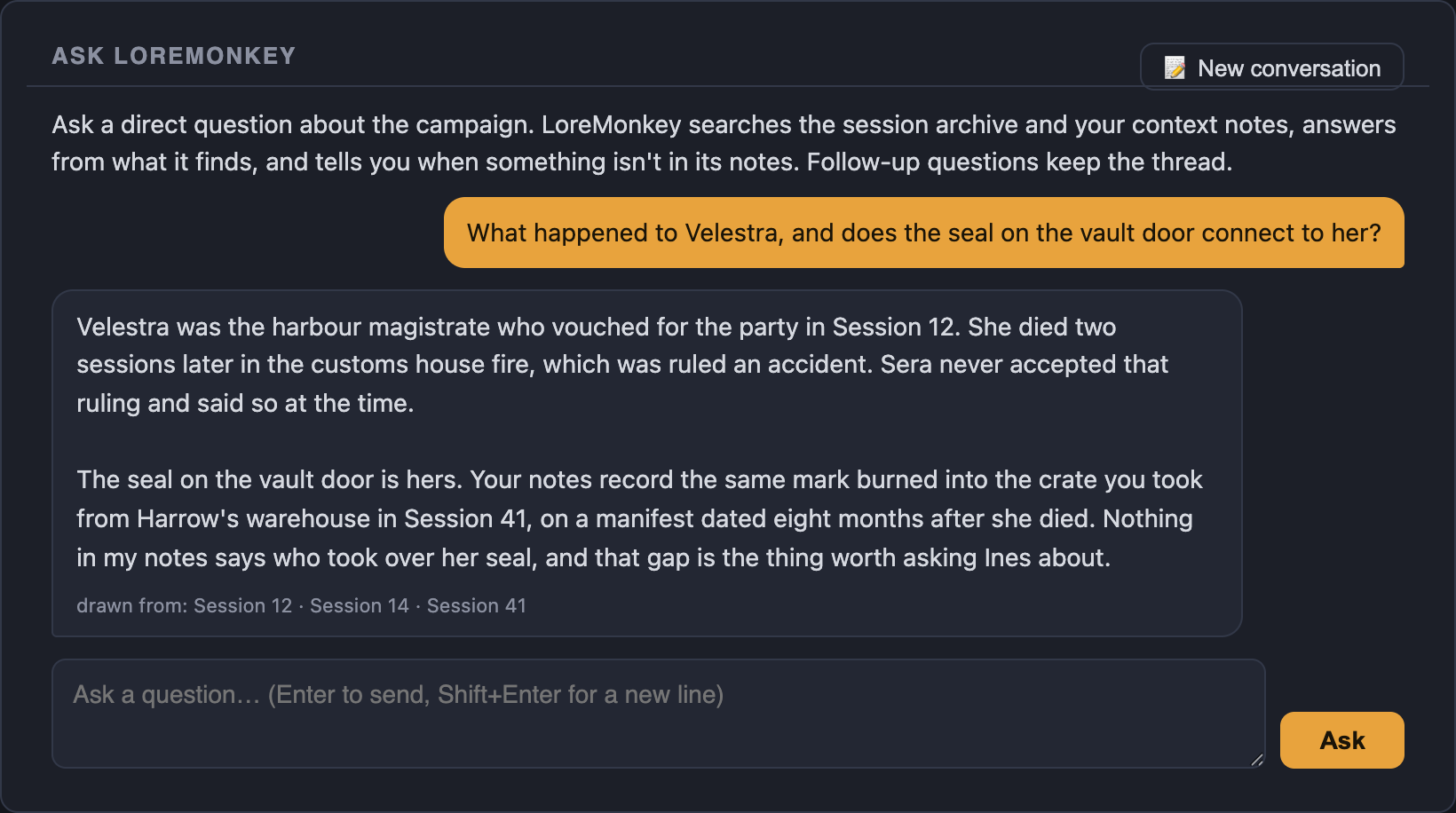
Notes and past transcripts are indexed on your PC, and live prompts draw on them during play. Standard and Pro add Ask LoreMonkey for questions between games.
Answers cite the sessions they came from, and say so when the archive has nothing.
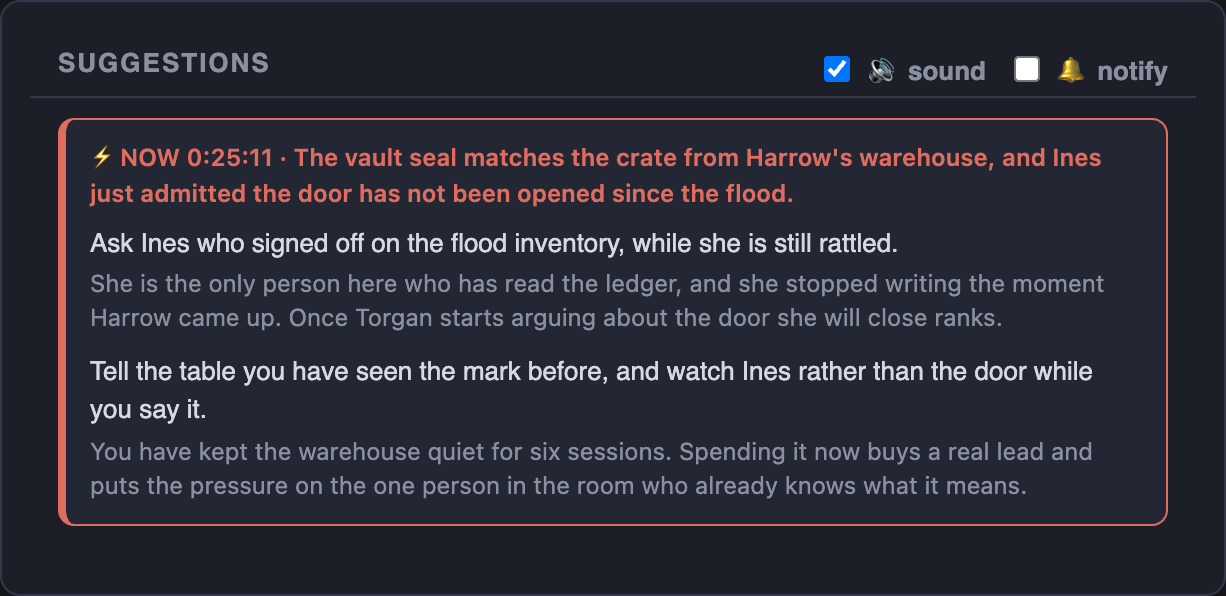
LoreMonkey watches for moments like a direct question, a returning character or a decision your notes care about, and gives you a prompt short enough to read mid-scene.
Cooldowns and limits keep it quiet the rest of the time. Both are adjustable, and the activity log shows every check.
When the game ends, LoreMonkey writes up what happened from the transcript and your notes, in the style of the notes your group already keeps.
GM campaigns get a recap for prep: threads that moved, hooks that came up, loose ends for next week. Recaps use your AI allowance, and the free trial is enough to see one.
From Lite up, LoreMonkey can also turn the recap into an illustrated story your players open from one link: eight captioned scenes, your cast, and quotes word for word from the transcript. How illustrating works.
Read a whole recapSession recapPlayer mode, names changedThe party pushed into Emberreach proper, meeting in a rough tavern to plan their approach before splitting up to scout. Ilsa and Tobin spotted a woman named Maren eavesdropping on their table; Tobin tailed her when she left and watched her get waved into Orvane's main hall without trouble, confirming she reports there. Grukk explored the northern shanties and found altars to three old gods still being tended despite the squalor around them, and struck up a conversation with a dwarf named Dunstan Hollowell, who's watching over a nearby adamantium mine that shut down after some unexplained "gloom" event and is cagey about who really runs Emberreach. Pell worked a kebab vendor named Oskar for information and learned the basics of the town's power structure: Orvane nominally rules but is actually a shardmind, a pile of animate crystal shards that used to have a humanoid body; a mercenary band of orcs enforces order for him; and the real power behind the throne is a tiefling named Casimir, who keeps to himself and runs the drug trade. Ilsa checked the graveyard and fields, noting one unusually well-kept grave for an "Aldous Penhallow" and getting chased off by a prickly orc farmer tending potatoes and corn.
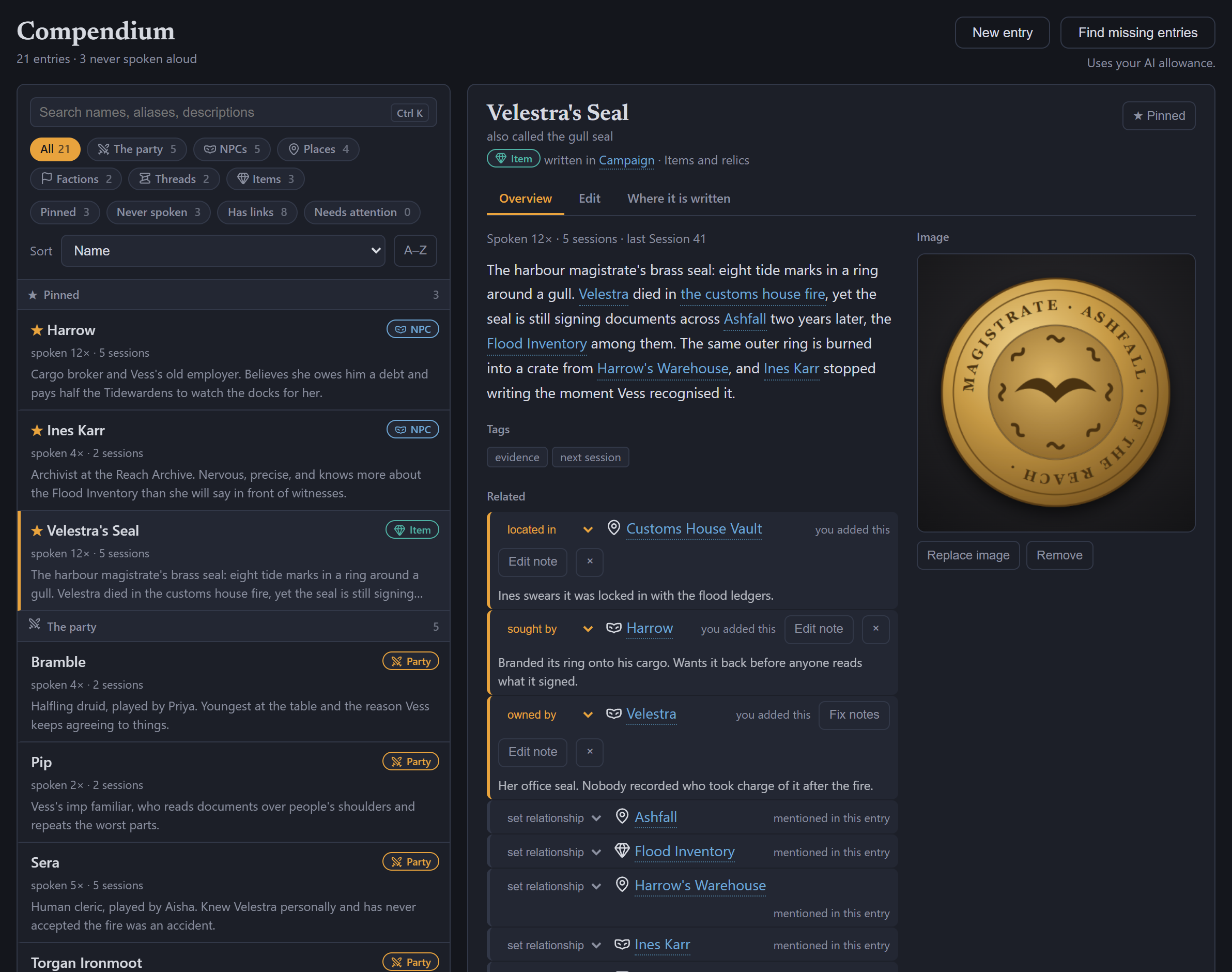
The names in your campaign notes become entries for the party, NPCs, places, factions, items and open threads. Each shows how often it has come up at the table, with the names in its description linked.
Add relationships, pin what matters tonight and edit in place. Changes go straight back to your notes. Browsing and editing are free on every plan. Finding names your notes missed starts with Standard.
Bring in the character sheet, primer, NPC files or session notes you already keep. LoreMonkey turns them into campaign files you can edit, indexed on your PC.
Having the files written for you starts with Lite. On Free, write and edit them yourself and everything else works the same.
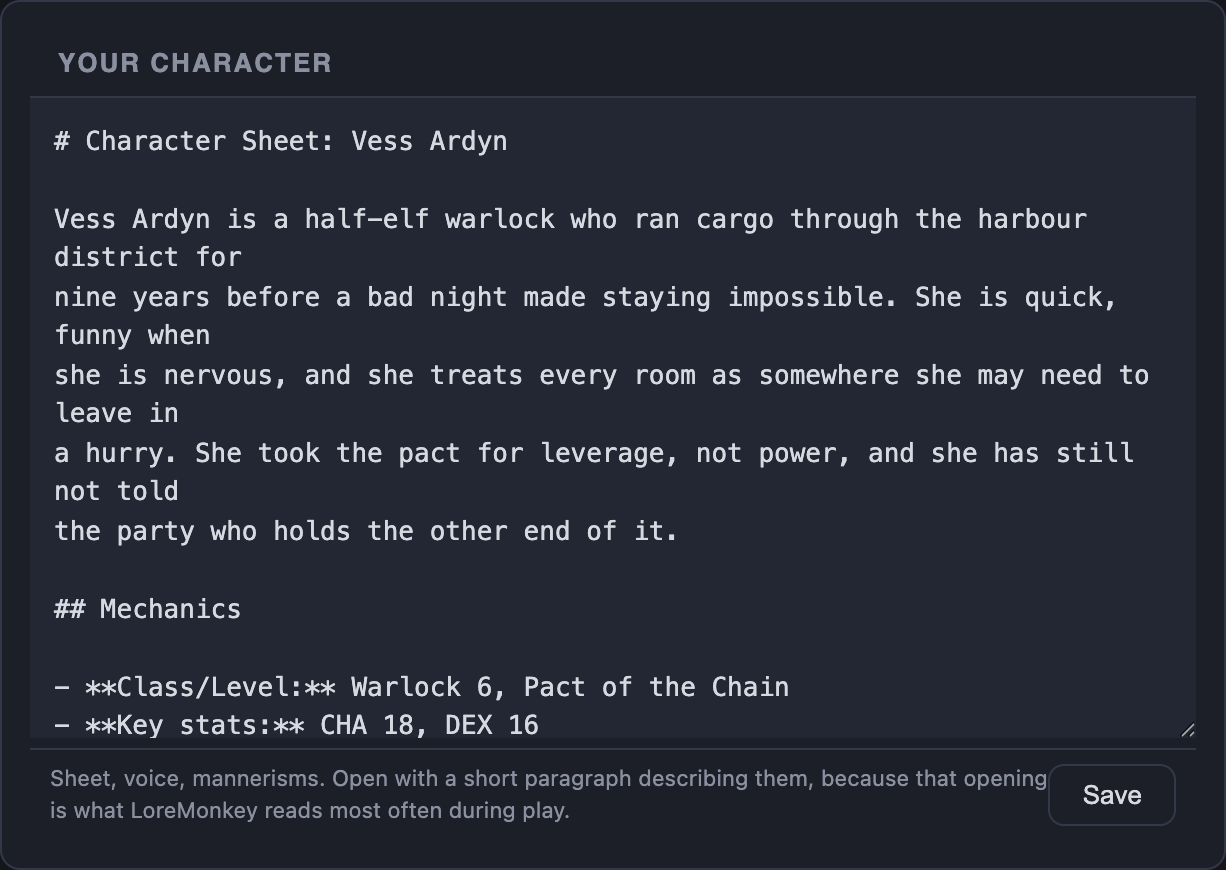
The campaign files and prompts follow the role you choose.
Give it your character, motivations, campaign notes and party. Prompts are written for that character, not the whole group.
Work from a primer, forward plan, player notes and NPC files. The app points out openings without taking over the scene.
Transcription, indexing and speaker matching run on your computer. The files are yours to read, back up or delete.
AI features send relevant text through LoreMonkey's server to the model provider. The privacy page lists what is sent and kept.
Privacy detailsPrompts, answers and recaps use the game set for the campaign. Pick a common system or type your own.
Dungeons & Dragons / Pathfinder / Call of Cthulhu / Cyberpunk RED / Vampire: The Masquerade / Delta Green / Blades in the Dark / Daggerheart
Choose Player or GM mode, the game system and your notes.
Discord audio for online play, or a microphone for the room.
Test capture, transcription and the AI connection before anyone is waiting.
Recording, transcription, speaker labels and indexing run on your own computer, so they are free and unlimited on every plan. A paid plan pays for the AI features: live prompts, recaps, campaign files, Ask LoreMonkey, finding names your notes missed, and illustrated sessions.
Compare plans$0 forever
$9.99 per month
$19.99 per month
$39.99 per month
Before you install
Both. Each campaign is set to Player or GM mode.
Yes. Every session leaves a timestamped transcript on your PC, free. A recap written in your group's own style uses your AI allowance, and from Lite up LoreMonkey also proposes updates to your campaign notes for you to accept one at a time.
Yes. With Discord connected, the recap knows which character said what. Recap the evening that just ended or any earlier session; the free trial is enough to see one at a real game.
Yes, for free. Import MP3, M4A, WAV, FLAC, OGG and other audio or video files and LoreMonkey transcribes them on your PC, filed under the date they were played.
Yes. Set the game system per campaign, and prompts, recaps and answers follow it.
Yes. Record and transcribe the room with a microphone. Character labels come from Discord, so a microphone transcript is not speaker-labelled.
Unlimited recording, transcription and speaker labels for one campaign, plus a free trial of live prompts and recaps. Ask LoreMonkey starts with Standard.
No. One person runs LoreMonkey. Let everyone know the session is being transcribed.
No. LoreMonkey reads who is speaking from the Discord desktop app already running on your PC. Nobody new appears in the call.
No. Audio stays on your PC, and it is built for tabletop campaigns: character-labelled transcripts, player and GM modes, and private lookup at the table.
Yes, once the speech model has downloaded. Recording, transcription and search work offline. AI features need a connection.
Not yet. LoreMonkey runs on Windows 10 and 11 (64-bit). News about other platforms goes out in Discord.
Audio, transcripts and search stay local. AI features send the relevant text through LoreMonkey's server to the model provider, and the activity log shows every call.

Available now for Windows
Download for Windows and start with the free trial.
Bring your group: invite a friend and you both get 20% off.