Discord D&D transcription
Transcribe your Discord D&D game without a bot in the call
LoreMonkey runs on one PC at the table. It hears the call the way you do, reads who is speaking from the Discord app you already have open, and writes a transcript with a character name on every line. Nobody new appears in the voice channel.


Free and unlimited. Transcription and speaker labels cost nothing on any plan. Supports Windows 10 and 11 (64-bit).
Four things happen on your PC, and none of them join the call
- 01
The call plays on your PC
LoreMonkey captures what your speakers play, plus your microphone if your own voice is not already in that mix.
- 02
Discord says who is talking
The Discord desktop app reports when each person starts and stops speaking, the same signal behind the green ring on their avatar. LoreMonkey reads it over Discord's local connection.
- 03
Your PC writes the words
A speech model on your own computer turns the audio into timestamped lines. Nothing is uploaded to do it.
- 04
Each line gets a character
The line goes to whoever was speaking while it was said, under the character name you gave them.
A recording bot, and the way LoreMonkey does it
Most Discord session recorders work by inviting a bot into the voice channel. That is a reasonable design, but it is not the only one, and it changes who has to do what.
| A recording bot | LoreMonkey | |
|---|---|---|
| In the voice channel | Joins as an extra member | Nothing joins |
| Who sets it up | Someone with permission to add bots to the server | The one person running LoreMonkey |
| Where the audio goes | Usually to the service's servers for processing | Stays on your PC |
| What players install | Nothing | Nothing |
When the table talks over itself
Four people arguing about a plan is normal at a D&D table, and no transcript gets every line of that right. LoreMonkey gives a line to whoever was speaking for most of it. When two people are too close to call, it writes the name with a question mark rather than picking one, so a recap or a search never states a guess as fact.
Bots are the other common problem. A music or soundboard bot "speaks" for as long as it plays, which would hand it whole stretches of the evening. Mark it as ignored once and its activity is dropped.
Playing in person instead?
Record the room with a microphone. You still get a full, timestamped transcript, but it is not labelled by speaker, because the names come from Discord. How local transcription works
Connect Discord once, then it just works
The app walks through each step with the exact field to copy.
- 01
Make a Discord application
In the Discord developer portal, create a new application with any name and add http://localhost as a redirect. It is free and it is yours.
- 02
Paste two values
Copy its Client ID and Client Secret into LoreMonkey's Discord settings.
- 03
Approve it once
With Discord open and you in the voice channel, press Connect and accept the prompt Discord shows. Later connections are silent.
- 04
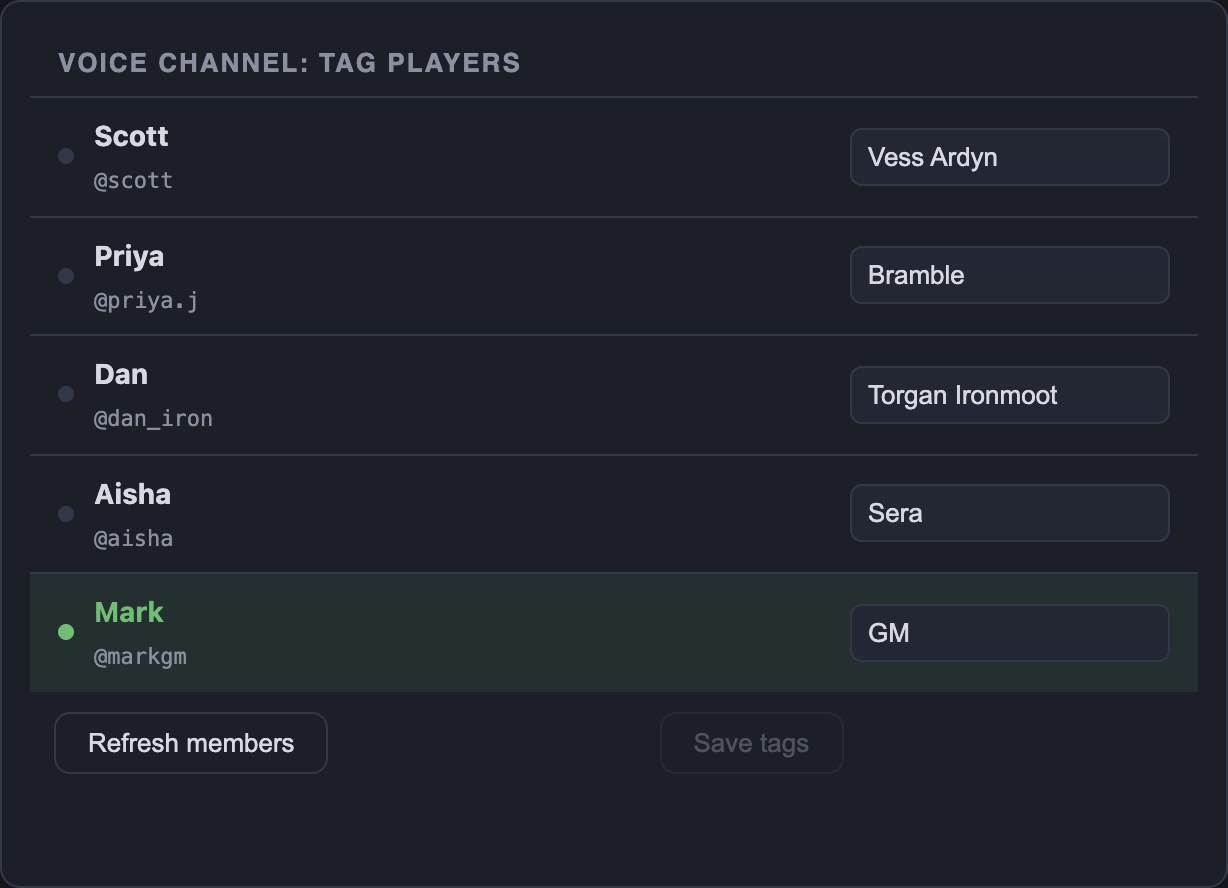
Tag the table
Everyone in the channel is listed. Type the character each person plays; tags are saved per campaign.
 Discord questions
Before you connect
Do my players need to install anything?
No. One person runs LoreMonkey on their own PC and everyone else joins the call as usual. Let them know the session is being transcribed.
Does it work with Discord in a web browser?
No. Speaker names come from the Discord desktop app, running on the same PC as LoreMonkey, with you in the voice channel.
Why do I create my own Discord application?
Discord's local connection for desktop apps goes through a Discord application, so LoreMonkey has you make one that belongs to you. It is free, the app walks you through each field, and you approve it once.
What happens when two people talk at once?
The line goes to whoever was speaking for most of it. When it is too close to call, the name is written with a question mark instead of a guess, and recaps treat that line as uncertain.
Will a music bot in the channel take over the transcript?
A music or soundboard bot counts as speaking whenever it plays. Mark it as ignored and its activity is dropped before names are assigned.
Is the audio sent to Discord or to LoreMonkey?
No. The call is transcribed on your PC and the audio is never uploaded. If you switch session recording on, an MP3 is saved to your own LoreMonkey folder.
Is Discord transcription free?
Yes. Recording, transcription and speaker labels are unlimited on every plan, because they run on your computer.
Stuck on setup? Ask in the LoreMonkey Discord.

Available now for Windows
Transcribe your next Discord game
Free to download, and no bot to invite.