Campaign memory
Campaign memory for a game that has run for years
Who was the dwarf at the mine? What did we promise the harbourmaster? LoreMonkey keeps every session's transcript and your campaign notes in one searchable archive on your PC, and finds the session it happened in.


Search is free on every plan. The index never leaves your PC.
Ask a question, get the session it came from
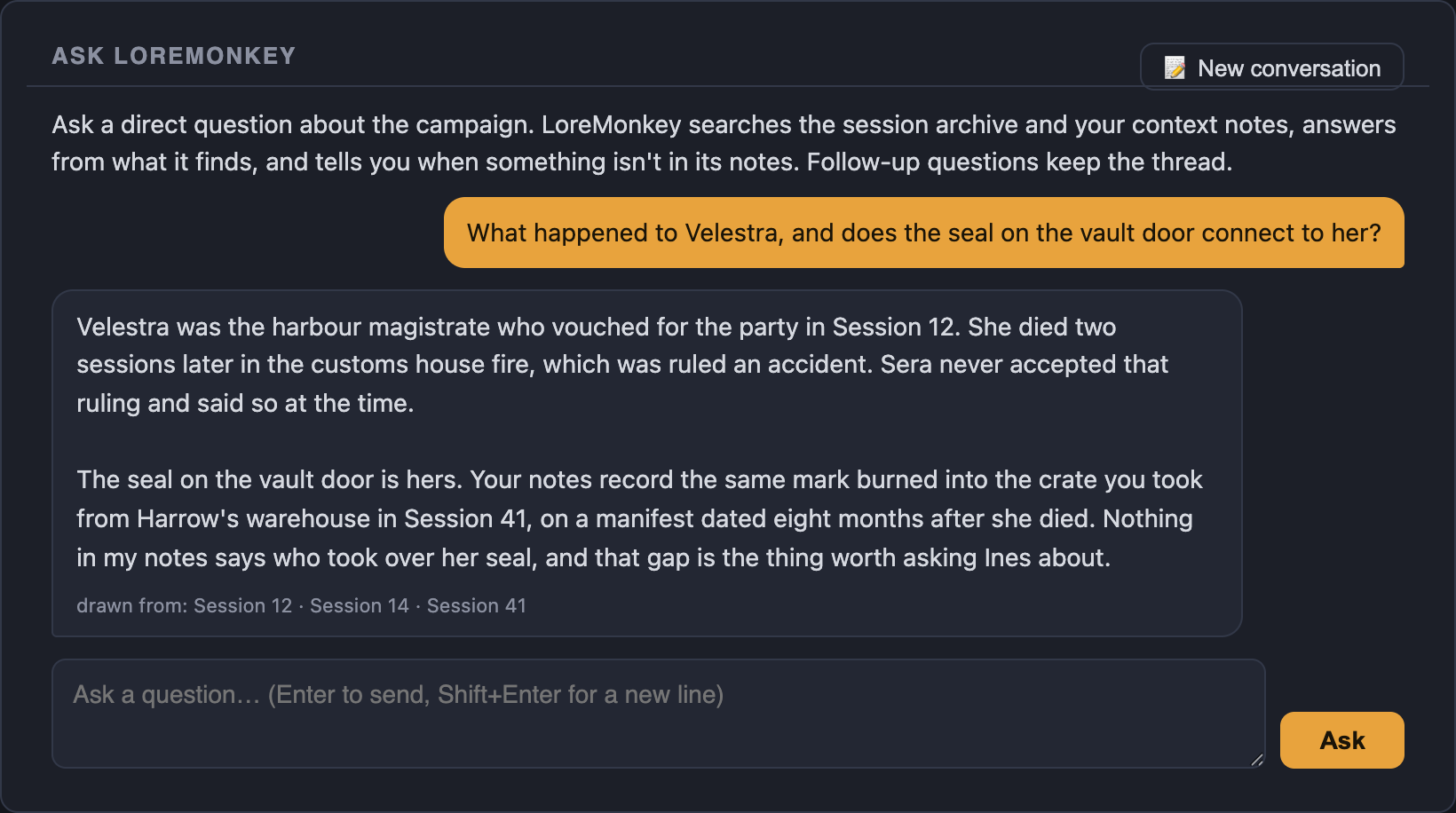
Ask LoreMonkey answers from your notes and transcripts only, and names the sessions each answer drew on. When your records do not cover the question, it says that instead of inventing an answer.
Follow-up questions stay in the same thread. Ask starts with Standard.
Memory that works during the game
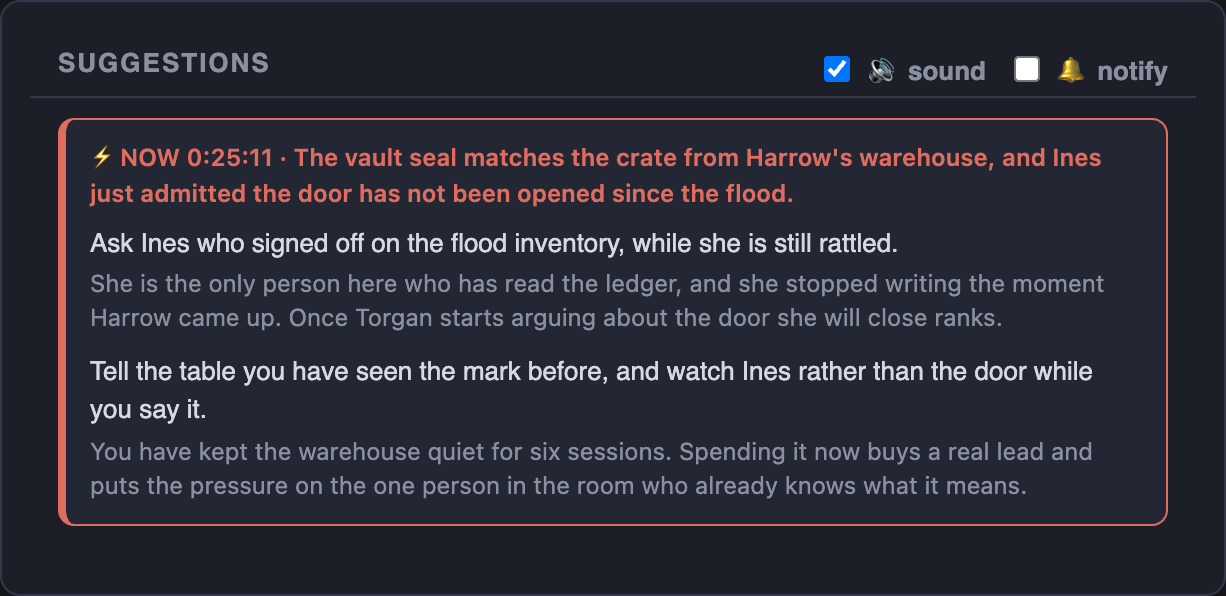
When a name comes up at the table, LoreMonkey looks it up in the archive as you play. A clue from session 40 can surface in session 191, as a short prompt for the one person running the app.
The lookup itself runs on your PC. Live prompts use your AI allowance.
Every character, place and faction, and when they came up
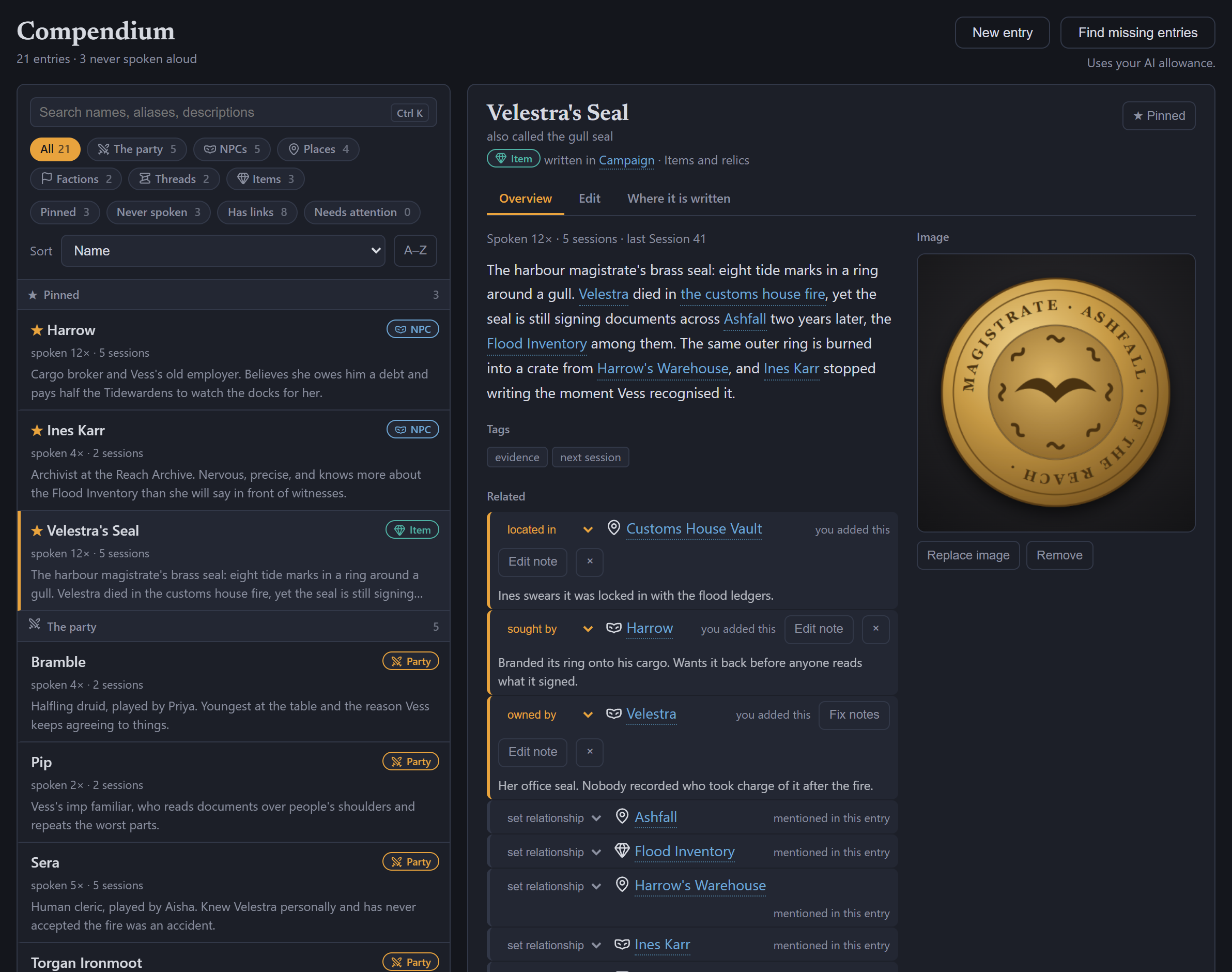
The compendium turns your notes into an entry for everyone and everything in the campaign. What a wiki cannot tell you, it can: that an NPC was mentioned in nine sessions, first on the night the party reached their town and last three weeks ago.
Browsing and editing are free, and edits go straight back into your notes. Finding names your notes missed starts with Standard.
How the memory is built
- Your notes. Import the session notes, primer and NPC files you already keep, even a 200-page document. Notes with session headings are split by session, so a search returns the right evening.
- Every transcript. Each session you play or import is added to the same index, on your PC.
- Condensed session records. From Lite up, a finished session can be written into a detailed memory record, so a four-hour evening is findable by what happened rather than by what was said word for word.
One name, one spelling
A campaign with two spellings of one NPC has two NPCs as far as search is concerned. When a name was written down wrong, rename it once and LoreMonkey updates every campaign file, recap and character tag. Raw transcripts are left alone, because they are the record of what was actually said.
Search that is not only in English
The archive is searched in the language your table plays in, accented names included, across 24 languages.
Where the records come from: local session transcription.
 Campaign memory questions
Before you import the archive
Is campaign search free?
Yes. Your notes and past transcripts are indexed and searched on your PC, on every plan. Ask LoreMonkey, which answers questions in plain language, starts with Standard.
How far back can it remember?
As far back as your records go. Import years of session notes and old recordings and all of it is searchable. One of our own campaigns has more than 190 sessions in its archive.
What does it do when the answer is not in my notes?
It says so. Ask LoreMonkey answers only from your campaign's records and tells you when they do not cover the question, rather than filling the gap.
Is my campaign uploaded to build the memory?
No. The index lives on your PC. When an AI feature runs, only the passages relevant to that question are sent to the model, and the activity log shows every call.
Does it work for players as well as GMs?
Yes. A player's campaign remembers their character's story; a GM's remembers plans, NPCs and player hooks.

Available now for Windows
Give your campaign a memory
Download for Windows, import your notes, and search them for free.